Baby Heartbeat Monitor : Cudly
- 4.6
- Rating
- 10.00K
- Installs
- Free
- Price

 Analysis by App-foxy
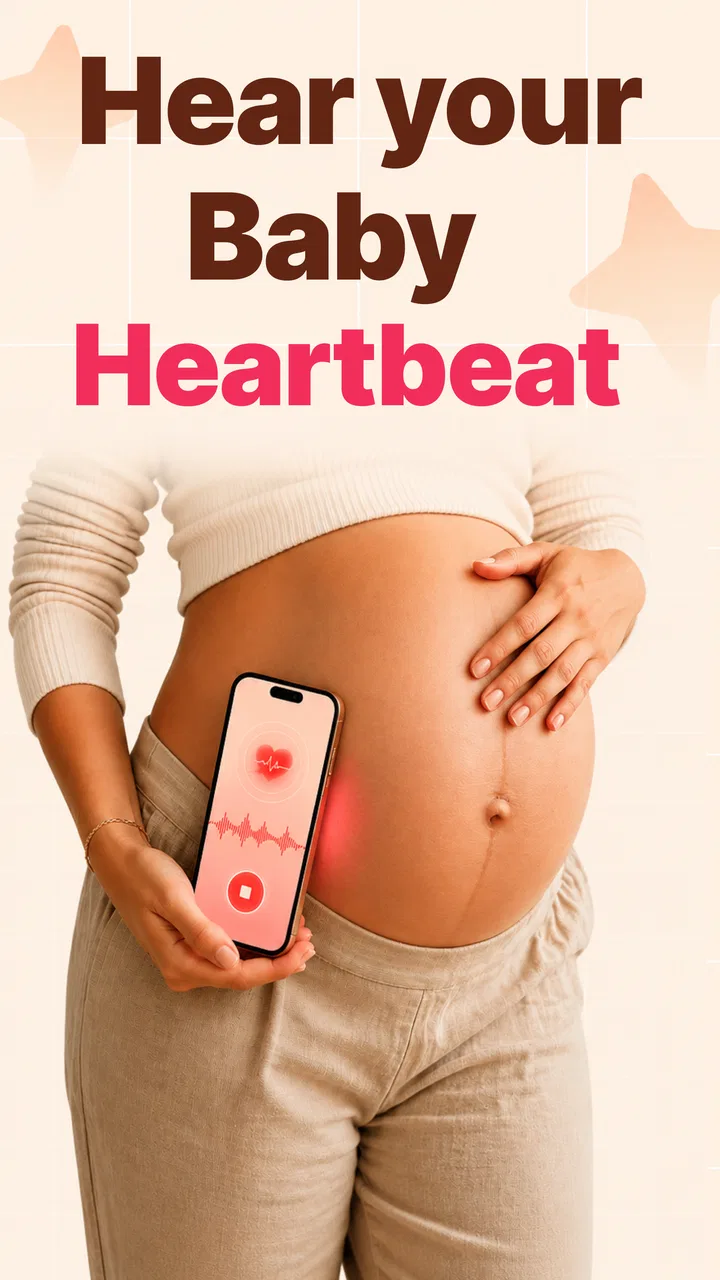
Pregnancy apps often promise reassurance, but a heartbeat-focused tool needs a more careful review than a normal journal or calendar. Baby Heartbeat Monitor: Cudly is presented as a pregnancy journal and week-by-week tracker with a baby heartbeat recorder, developed by CalFiz Ltd. I approached it as a companion for organizing a pregnancy experience, not as a replacement for medical care, and that distinction shaped my opinion from the start.
The app is free to install and aimed at Everyone, which makes it easy to try without committing money immediately. It runs on Android 8.0 or later, is currently at version 1.0, and has reached over 10K installs with a 4.6 average from around 3.2K ratings. Those figures suggest that the basic idea appeals to many people, although they should not be confused with clinical validation. Optional purchases range from $5.99 to $19.99 per item, so I would pay attention to what is available before treating the free download as the complete experience.
Where the experience can become confusing
The most important thing to understand is what kind of app this is. I found the concept most useful when treated as a personal pregnancy record: a place to follow the pregnancy week by week, write down meaningful moments, and keep heartbeat-related recordings together. That is very different from using a phone as a medical monitor. A recording can be interesting to revisit, but it does not establish that a baby is well, and it should never be used to decide whether professional help is needed.
You May Also Like

 Blood Strike: 2.5 Anniversary
Blood Strike’s Loadouts Turn Every Drop Into a Tactical Gamble
A close look at Blood Strike’s custom loadouts: how fast access to signature weapons reshapes its battle royale rhythm, rewards preparation, and narrows the gap between fights.

 Pandora - Music & Podcasts
Pandora’s Music Is Easy to Start, but Harder to Recover
Pandora’s strength is its low-effort path from a seed to a station. Its weak spot is how much confidence it asks you to place in connection, setup, and quiet recovery.

 8 Ball Pool
 Is Built on Rivalries, Rematches, and Routine
A close look at the rivalries, rematches, shared routines, and unanswered safety questions that turn a quick pool match into a persistent mobile community.

 Samsung Music
’s Quiet Strength Is Playing What You Already Own
Its reach comes less from spectacle than from dependable access to a personal library. That simplicity is both the app’s strongest retention engine and its ceiling.

 AccuWeather: Weather Radar
AccuWeather Review: A Quick, Clear Forecast for Everyday Decisions
For everyday plans, the best forecast is the one you can understand quickly. AccuWeather makes rain timing, radar, and local conditions easy to act on, with a few trade-offs.

 Hill Climb Racing
Why Hill Climb Racing Still Turns Crashes Into One More Run
A tiny car, a bumpy hill and one more upgrade: Hill Climb Racing keeps resurfacing because its simple chaos makes every near-miss feel personal.
More From Our News Desk
View All News


This distinction is also where some users may get stuck. The short store description says “Baby Heartbeat Monitor,” a phrase that can sound more medically capable than a journal and tracker really are. If you install it expecting a dependable diagnostic reading, you may be disappointed or, worse, falsely reassured. I would use it for documentation and personal reflection, while leaving questions about symptoms, fetal movement, pregnancy complications, or urgent concerns to a qualified healthcare professional.
Another likely point of friction is the difference between recording something and interpreting it. Even when an app lets you save an audio moment, the saved item is still a record of an experience, not a professional assessment. Background noise, movement, the phone’s position, and the stage of pregnancy can all affect what a person thinks they hear. I would avoid replaying a recording as a test of health and instead treat it like a private memory attached to a particular week.
The journal side has a more dependable everyday purpose. Pregnancy can produce a stream of small details that are easy to forget: a first appointment, a question for the midwife, a symptom worth mentioning, or a moment you want to share with a partner. Keeping those notes in one pregnancy-focused place can be more useful than scattering them across a general notes app, a calendar, and a folder of audio files.
Start with a simple expectation
Before opening the app, I would decide what I want from it. If the goal is a week-by-week personal log, Cudly makes sense as a focused companion. If the goal is accurate medical monitoring, it is the wrong category of tool. That single decision prevents most of the frustration I can imagine around a heartbeat recorder.
I would also avoid judging the app by whether every session produces a satisfying result. A pregnancy tracker can still be useful on a day when there is no recording worth keeping, because the journal and timeline functions have a different purpose. Trying repeatedly to capture a heartbeat can turn a gentle keepsake activity into an anxious routine, especially when the user expects a clear result every time.
Setup checks that make the first session easier
My first setup would be deliberately modest. I would enter only the details needed to begin following the pregnancy, then look through the week-by-week area before attempting a recording. This gives a clearer sense of how the app organizes information and avoids filling the journal with rushed or duplicated entries.
Because the app is version 1.0, I would expect a relatively early product experience rather than the polish of a long-established health platform. That does not make it unusable, but it does make careful setup worthwhile. I would read each screen, check whether an action is saving a journal note or starting a recording, and avoid tapping through quickly when the wording relates to health or purchases.
A useful habit is to create a consistent naming routine for saved moments if the app allows personal labeling. Rather than leaving everything as an indistinguishable recording, I would use a simple pattern based on the pregnancy week and the reason for saving it. For example, a note could identify an appointment or a family milestone without adding sensitive medical conclusions. The benefit is practical: later, the journal becomes a timeline instead of a pile of anonymous entries.
I would also test the app in a quiet, ordinary environment before deciding that it is not working. A room with television audio, conversation, fans, or traffic can make any sound-based experience difficult to judge. Keeping the phone still and avoiding unnecessary movement gives a cleaner test of the app’s basic recording workflow, without turning the process into an attempt to perform a medical examination.
One setup check that deserves special attention is storage and organization. Audio files can be more awkward to manage than text notes, so I would make sure I understand how a saved item appears inside the app and whether I can find it again later. If a recording is emotionally important, I would not assume that an app journal is the only copy. I would follow the app’s normal saving options and keep any personal backup in a place I trust, while remembering that private pregnancy information deserves the same care as other sensitive records.
The free entry point is helpful for testing this workflow. I would spend time with the basic experience before considering an in-app purchase. Since individual purchases can cost between $5.99 and $19.99, the sensible question is not whether a premium option sounds attractive, but whether it solves a problem I actually have. A purchase should improve a workflow I already understand, not be used to rescue confusion during the first session.
What I would prepare before using it
- A clear purpose: decide whether the entry is a memory, a journal note, or a question to discuss with a clinician.
- A calm setting: reduce background noise and distractions before trying anything involving sound.
- A naming habit: label saved moments consistently so the timeline remains useful weeks later.
- A medical boundary: never treat an app result as confirmation that a pregnancy is healthy.
These steps sound basic, but they address the most realistic sources of disappointment. They also make the app more valuable as a record, because the information you save has context rather than being collected impulsively.
Recovering when a workflow goes wrong
If a recording does not seem to work, I would begin with the least dramatic explanation. I would close and reopen the app, check that the phone is not busy with another audio task, and try again in a quieter place. I would also confirm that the phone has enough available storage for a saved recording and that I am using the current installed version. These are ordinary troubleshooting steps, but they are safer than repeatedly trying to force a result.
If the app opens but a saved entry is difficult to locate, I would return to the journal or week-by-week area and look for the item there rather than creating several new recordings. Duplicate attempts can make the timeline harder to understand. A short note describing what happened is often more useful than five nearly identical files, especially when the original problem was environmental noise rather than the app itself.
When a session produces an unclear sound, I would not interpret the audio by comparing it with examples online or by asking another app to analyze it. That adds uncertainty rather than removing it. I would simply mark the session as inconclusive, keep the journal moving, and raise any genuine health concern with a healthcare professional. Cudly is at its best when it helps preserve a personal moment; it becomes a poor tool when asked to make a medical decision.
There is also a useful recovery strategy for users who feel overwhelmed by the number of pregnancy notes they have collected. Instead of trying to document everything, I would keep three kinds of entries separate: practical questions for the next appointment, personal memories, and recordings. This prevents a sentimental note from being mistaken for a medical record and makes it easier to find the information that matters during a consultation.
For a couple or family, the same structure can reduce misunderstandings. One person may enjoy saving audio moments, while another may care more about appointment notes or weekly reflections. I would agree on what each entry means before sharing it. That small conversation avoids presenting a personal recording as evidence and keeps the app’s emotional value without giving it authority it does not have.
When restarting is better than forcing the issue
If the app repeatedly behaves strangely, I would stop experimenting with important entries until I had written down what happened. Note the screen, the action that led to the problem, and whether the issue affected a new entry or an older one. Then I would restart the app and phone before trying again. If the problem continues, the safest choice is to use the app only for nonessential journaling until support or an update provides a clearer solution.
I would not uninstall the app as a first reaction if it contains memories I care about. Before removing it, I would check the app’s available saving or export options and make a separate copy of anything important using the normal tools available on the device. That is a general digital-safety habit, not a claim about a particular backup system inside Cudly.
The same caution applies to paid features. If a purchase is involved, I would confirm exactly what the screen says before accepting it and keep the transaction record. The free installation makes exploration easy, but the presence of optional items means that a hurried tap can change the cost of the experience. I prefer to decide after I know whether the app’s basic journal workflow fits my routine.
When the app is not the cause
Pregnancy is a time when normal uncertainty can feel intense, and a heartbeat-focused app can accidentally amplify that feeling. If someone is worried because a recording is missing, faint, or different from a previous one, the answer is not to keep trying until the app produces something reassuring. The appropriate response depends on the person’s pregnancy and symptoms, so a clinician, maternity service, or emergency service should guide that decision.
This is the strongest limitation of the product’s central idea. A journal can preserve a memory, but it cannot replace an appointment, a professional Doppler, an ultrasound, or advice based on the full medical situation. I would recommend Cudly to someone who understands that boundary and wants a personal companion. I would steer away from it for anyone likely to use a recording as a daily pass-or-fail check.
It is also not the best choice for someone who wants a broad medical reference library, detailed appointment management, or a mature ecosystem of connected health tools. A general pregnancy platform may be better when the priority is a large educational resource or extensive planning features. A plain notes app may be better for someone who only wants to record questions and dates without the emotional focus of heartbeat audio. Cudly’s advantage is its narrow, personal framing, not breadth.
On the other hand, a general notes app can feel too scattered for a user who wants pregnancy weeks, reflections, and recordings to belong together. A paper journal offers more privacy and a warmer physical experience, but it cannot organize audio moments. Cudly sits between those choices: more focused than ordinary notes, less formal than a clinical record, and more convenient for someone who wants a digital timeline.
Privacy is another reason to be intentional. Pregnancy notes and recordings can be deeply personal, so I would avoid entering unnecessary identifying details and would use the phone’s normal security protections. I would also think before sharing a recording in a family chat or social network. The fact that a moment is meaningful does not mean it needs to be public, and keeping the audience small can make the journal feel more comfortable.
The age rating of Everyone makes the app approachable for a wide audience, but that rating should not be read as medical guidance for children or as a guarantee that every pregnancy-related use is suitable without adult judgment. The person using it still needs to understand what the app can and cannot tell them. In my view, clear expectations matter more here than the simplicity of the label.
My practical verdict after using it as a journal
I see Baby Heartbeat Monitor: Cudly as a focused pregnancy companion rather than a true monitor in the clinical sense. Its strongest use is helping someone build a week-by-week personal record that combines written memories with heartbeat-related recordings. The experience becomes much more satisfying when I stop asking it to prove anything and start using it to preserve moments that I already understand as personal, not diagnostic.
The developer, CalFiz Ltd, has made the app easy to approach through a free download, and the existing response of a 4.6 average from around 3.2K ratings shows that the concept has found an audience. Still, the early version number and the optional purchase range make me recommend a measured trial. I would explore the free workflow, learn how entries are organized, and only then decide whether a paid item genuinely improves my routine.
My practical recommendation is to use it once or twice a week as a calm journaling ritual, not as a repeated test. Add a short context note, save a meaningful moment when appropriate, and keep medical questions in a separate list for the next professional conversation. That workflow gives the app a clear job and prevents the heartbeat feature from taking over the entire pregnancy experience.
I would recommend it to expectant parents who want a digital keepsake, enjoy tracking pregnancy by week, and can keep audio recordings in their proper perspective. I would skip it if I needed clinical accuracy, extensive medical education, or a comprehensive appointment-management system. For those needs, a healthcare provider or a more established health platform is the better option.
Overall, Baby Heartbeat Monitor: Cudly is worth trying for its personal journal angle, provided you approach the heartbeat recorder with care. Its real value is not in answering whether everything is medically fine; it is in helping you organize memories, questions, and selected recordings during a major life event. Use it as a keepsake and tracker, never as a substitute for professional reassurance.
FAQs for Baby Heartbeat Monitor : Cudly
01What is Baby Heartbeat Monitor: Cudly, and how does it work?
Baby Heartbeat Monitor: Cudly is designed to provide a pregnancy-themed listening and tracking experience through a mobile device. Depending on the features available in your version, it may use the phone’s microphone, recordings, or other in-app tools to simulate or capture sounds. It is important to understand that the app is not a medical device and should not be treated as a reliable method for detecting or monitoring a baby’s heartbeat.
02Can Baby Heartbeat Monitor: Cudly really detect my baby’s heartbeat?
You should not rely on Baby Heartbeat Monitor: Cudly to confirm, measure, or continuously monitor a fetal heartbeat. Smartphone microphones and consumer apps cannot replace clinically approved Doppler equipment or professional examinations, and results may be inaccurate or misleading. If you are concerned about your pregnancy or notice unusual symptoms, contact a qualified healthcare professional rather than attempting to interpret sounds or readings from the application.
03Is Baby Heartbeat Monitor: Cudly safe to use during pregnancy?
Using the app itself is generally a low-risk digital activity, but safety depends on how its features are used. Do not press the phone firmly against your abdomen, use accessories that may cause discomfort, or follow instructions that could put pressure on your body. Most importantly, avoid using the app for reassurance when medical advice is needed. Always follow guidance from your doctor or midwife throughout pregnancy.
04Does Baby Heartbeat Monitor: Cudly require an internet connection or special equipment?
The exact requirements can vary according to the app version, device model, and available features. Basic screens or previously downloaded content may work offline, while recordings, account functions, advertisements, analytics, or other services can require an internet connection. A standard compatible smartphone is usually the main requirement, but the app cannot turn a phone into professional medical monitoring equipment or guarantee accurate heartbeat detection.
05Is Baby Heartbeat Monitor: Cudly free, and are there privacy concerns?
The application may be available to download at no initial cost, but it can include advertising, optional purchases, subscriptions, or restrictions on certain features. Before installing, review the current store listing for pricing and cancellation terms. Also check the privacy policy and requested permissions, especially access to the microphone, storage, or personal information. Avoid entering sensitive medical details unless you understand how that data is handled.
Pros
- Simple interface that is easy for first-time users to navigate.
- Includes calming sounds and bonding features beyond heartbeat tracking.
- Can help parents create a relaxing routine during pregnancy.
- Lightweight app with quick access to its main tools.
- Useful as an occasional personal keepsake alongside medical care.
Cons
- Cannot reliably detect or confirm a fetal heartbeat at home.
- May create unnecessary anxiety when readings are unclear or missing.
- Requires careful phone placement and a quiet environment for best results.
- Features and content may vary depending on the device model.
- Should never replace prenatal appointments or professional medical advice.

Baby Heartbeat Monitor : Cudly
Gallery